


BitCloud: MineServer
3.922.00 Reviews
App Specs
- Version
- 1.9
- Updated On
- License
- Free
- Downloads
- 50,000+
- Developer
- SR INFOSOFT LTD
- Categories
- Finance
- Platform
- Android
Screenshots
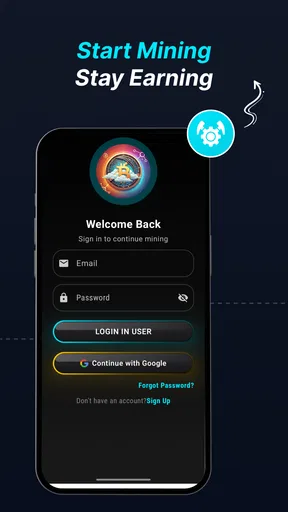
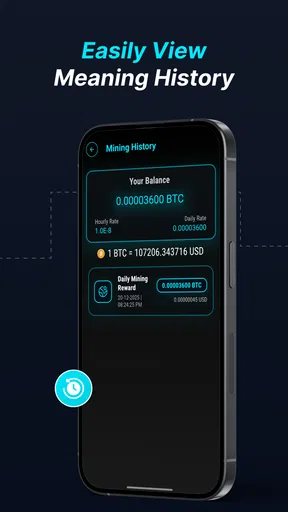
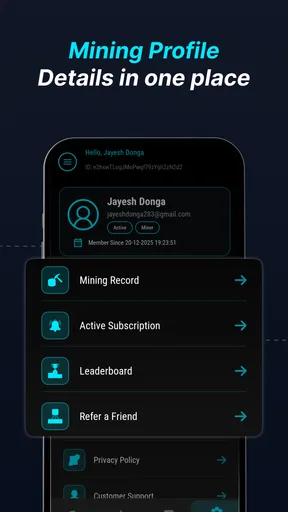
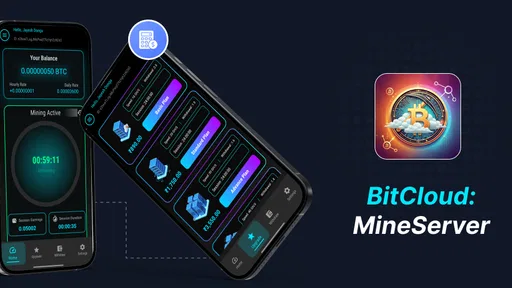
 Analysis by AppCompare
When I first looked at BitCloud: MineServer, I approached it less like a conventional finance tool and more like a lightweight experiment for people curious about cloud-based digital-asset mining. The idea is easy to understand: instead of asking a phone to perform heavy mining work itself, the app presents a mobile way to begin a cloud-mining activity. That makes it interesting for a shared household device, but it also means that trust, account ownership, and spending discipline matter more than the simple interface might suggest.
The app is free to install and is aimed at everyone, which makes the first step feel approachable. It comes from SR INFOSOFT LTD and sits in the finance category rather than entertainment. In my experience, that distinction is important: the app may look simple enough to explore casually, but anything connected with digital assets deserves the same caution I would use with a banking or investment application.
How it fits into a shared household
A realistic use case is a family tablet or a spare phone that several adults use to explore technology together. One person might be interested in cloud mining, while another simply wants to understand what the process involves. BitCloud: MineServer can serve as a conversation starter because the concept is more accessible than setting up specialist hardware, buying equipment, or learning command-line tools.
That convenience does not make a shared device automatically suitable for shared accounts. I would treat the app as belonging to one clearly identified user, even if the phone sits in a common room. The person who creates or manages the account should be the person who understands the activity, monitors it, and makes any decisions involving purchases or withdrawals. Passing the phone around is fine for showing screens, but casual tapping by several people can create confusion about who accepted an action or changed a setting.
My preferred household arrangement would be simple. One adult installs the app, reads every screen before continuing, and keeps responsibility for the account. Other family members can observe the process, ask questions, or use a separate device for their own exploration. I would not let a child use the account unsupervised, even though the content rating is Everyone. An age label describes general suitability; it does not turn financial activity into a risk-free activity for younger users.
There is also a practical reason to keep boundaries clear. A mining app can encourage frequent checking, especially when a balance or progress indicator is visible. On a shared phone, one person may assume that another person already reviewed an offer or transaction. That is exactly the kind of household misunderstanding I would avoid by keeping the account under one name and discussing any paid action before it happens.
What the first session feels like
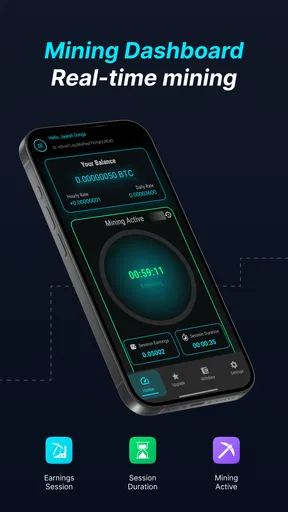
The appeal of the opening experience is its low barrier to entry. BitCloud: MineServer is designed around starting a cloud-mining process from a mobile device, so it is more approachable than assembling physical mining hardware. I found that the main value at this stage is educational: it lets a curious user see how a mining service is presented without first committing to a complicated technical setup.
Worth Reading Before You Choose

EA SPORTS FC Mobile 26 Is a Bigger Football Game, but It Takes Time

Flipboard Shows What News Apps Must Do Beyond the Feed

Switching to Android Auto Means Rethinking Your Driving Routine

Google Calendar Makes a Crowded Week Easier to Manage

Ludo King Makes the Most of the Minutes Between Plans

Baby Panda World Brings Quick Play to Modern Phones, but Its Game Library Feels Busy
Still, I would not confuse a clean beginning with a complete explanation of the financial model. Before treating any displayed progress as earnings, I would look carefully at what each screen means, whether an action is free or paid, and what conditions apply to moving anything out of the app. The most important early habit is to pause at every purchase prompt rather than tapping through simply to reach the next screen.
The app has reached more than fifty thousand installs and holds an average rating of about three point nine from roughly four hundred ratings. Those figures suggest that people are trying it, but they are not a substitute for understanding your own risk. A modest rating can reflect different expectations: some users may want a simple demonstration, while others may expect predictable financial returns. I would read the app as a tool for exploration, not as a promise of income.
Keeping account boundaries clear
On a household device, the most useful boundary is ownership. Decide in advance whose account it is, who can sign in, and who is allowed to approve an in-app purchase. Do not rely on everyone remembering the same informal rule. If the phone is used by children, guests, or multiple adults, keep the finance app behind the device’s own access protection and avoid leaving it open when you hand the phone to someone else.
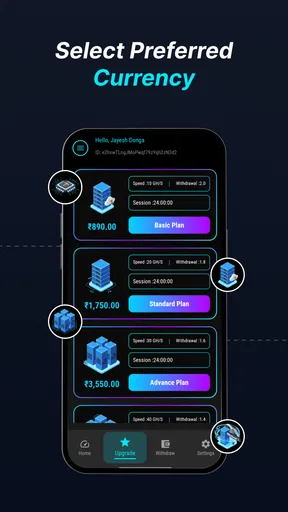
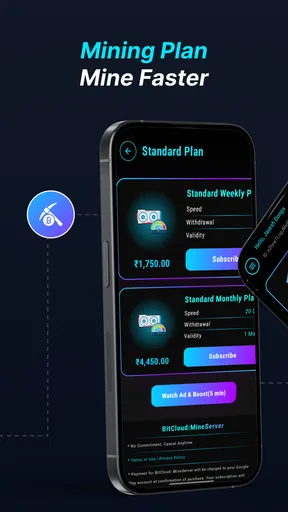
This is not a criticism of a particular feature; it is sensible handling for any app involving digital assets. BitCloud: MineServer includes in-app purchases priced from $4.49 to $649.99 per item, so the difference between browsing and spending can be significant. I would never allow a shared-device user to explore purchase screens without supervision, and I would review the final amount carefully before confirming anything.
That price range is also a reason to establish a household rule before installation: no one pays inside the app without the account owner’s explicit approval. A child might interpret a large button as part of setup, while an adult might assume it is only an optional upgrade. Clear communication prevents that kind of mistake better than optimistic assumptions about who understands the interface.
I would also keep records outside the app. A simple note showing the account owner, the date of any purchase, and the purpose of the action can prevent arguments later. This is especially useful when more than one adult shares the same device. It does not make the activity safer financially, but it makes responsibility visible and reduces the chance that someone pays twice because nobody remembers what happened.
Using it without creating household confusion
Coordination is where a shared-use plan either works or falls apart. My recommendation is to choose one regular review time instead of checking the app constantly. For example, the account owner could inspect the mining status during a weekly household technology session and explain what has changed. That approach keeps the app from becoming a source of repeated interruptions or unrealistic expectations about instant results.
When explaining it to another user, I would separate three ideas: activity shown in the app, any balance displayed there, and money that can actually be used elsewhere. Those are not automatically the same thing. A progress number can be informative without representing spendable funds, and a displayed balance should not be treated as guaranteed profit. This distinction is one of the most important lessons for anyone new to cloud mining.
A useful coordination routine is to take a screenshot or write down the current state before changing anything. Then, if a setting or plan is altered, the account owner knows what was changed and why. I would especially use this routine before opening a paid option. It creates a small pause, which is valuable when an app makes an action feel quick or routine.
Another practical tip is to avoid making decisions when the device is being passed around. If someone asks, “Can I start this?” the answer should not be given by whoever happens to be holding the phone. The account owner should make the decision after checking the amount, the purpose, and the expected result. This may sound overly careful for a mobile app, but the possible purchase range makes casual approval a poor habit.
What it does well compared with usual alternatives
The strongest argument for BitCloud: MineServer is accessibility. Traditional mining alternatives can involve specialized hardware, electricity costs, cooling, wallet management, and technical maintenance. A mobile cloud-mining app avoids that physical setup, which is useful for someone who wants to understand the general idea without turning a room into a hardware project.
It is also easier to discuss around a household table. A parent and an older teenager can examine the concept together without handling hot equipment or changing computer settings. For a technology lesson, that simplicity is meaningful. The app can help demonstrate why digital-asset services attract attention, while also opening a conversation about volatility, fees, account security, and the difference between a displayed figure and a realized result.
However, the same simplicity is its main limitation. A specialist desktop setup may offer more technical visibility and control, while a conventional savings product is much easier to understand in terms of ownership, access, and expected use. Someone seeking predictable saving should choose a regulated savings or budgeting tool instead. Someone wanting to learn the mechanics of mining may gain more from a transparent educational simulator or technical documentation than from a service focused on starting cloud mining on a phone.
I would also compare it with a standard cryptocurrency wallet, but only carefully. A wallet is generally used to hold or manage assets, whereas BitCloud: MineServer is centered on the mining activity itself. They are not interchangeable. If your main need is tracking assets you already own, a wallet or portfolio tool may be a better fit. If your interest is specifically seeing how cloud mining is presented, this app is more relevant.
Trust, age, and responsible use
The Everyone rating makes the app broadly accessible from a content perspective, but I would still apply an adult standard to financial decisions. Younger users can learn from the concept, yet they should not be expected to understand purchase implications, digital-asset uncertainty, or the consequences of sharing account information. Supervised demonstration is reasonable; unsupervised spending is not.
For adults, trust should be based on careful reading rather than the app’s friendly presentation. I would inspect every description of a mining option, check whether a screen leads to a purchase, and avoid assuming that the word “cloud” means guaranteed performance or safety. The developer is SR INFOSOFT LTD, and the app is currently at version one point nine, but neither a developer name nor a version number should replace ordinary caution.
I would also avoid sharing login details between family members. If several people want to learn, they can discuss the account while the owner controls access. Sharing credentials creates a weak chain of responsibility: if something changes, it becomes difficult to know who did it. On a finance-related app, that uncertainty is not worth the convenience.
The release date is January 21, 2026, so I would approach it as a relatively new addition to my app collection and give myself time to understand its behavior before spending. Newness is not automatically negative, but it is a reason to keep the first session observational. I would begin with the free installation, learn the navigation, and only then decide whether the service offers enough value for my particular purpose.
Small habits that improve the experience
My first non-obvious tip is to use a separate household review note rather than relying on memory. Record what the app showed before and after a change, especially if more than one person is watching. This makes it easier to distinguish a genuine update from a misunderstanding caused by someone else opening the app.
My second tip is to treat every paid screen as a separate decision, not as part of onboarding. A user who has already invested time in setup may feel tempted to continue automatically. Stopping at that point helps prevent the familiar “I have come this far” mistake. If the purpose is learning, the free experience may already answer your questions.
My third tip is to set a household spending ceiling outside the app before anyone opens the purchase menu. The ceiling should be an amount you can afford to lose entirely, not an amount based on hoped-for returns. If the maximum listed purchase is far beyond your comfort level, that is a clear signal to avoid paid options altogether.
My fourth tip is to decide what success means before starting. If success means understanding the interface, you can stop once the concept is clear. If success means earning money, you need a much deeper assessment of costs, conditions, liquidity, and risk before committing. BitCloud: MineServer is easier to evaluate when you do not mix those two goals.
Who should use it and who should skip it
I can recommend trying it to an adult who is curious about cloud mining, wants a mobile-first introduction, and is comfortable treating the experience as speculative rather than dependable. It may also suit a household technology discussion where one responsible person demonstrates the app and explains why digital-asset activity requires caution.
I would skip it if you need a budgeting app, a normal savings account, a straightforward wallet, or a guaranteed return. I would also skip paid features if you cannot clearly explain what you are buying and how you would judge whether it was worthwhile. The free download lowers the barrier to inspection, but it should not lower your standards for financial decisions.
People who dislike monitoring digital-asset services may find the experience frustrating. Likewise, anyone expecting their phone to function like a personal mining machine may misunderstand what the cloud model implies. The app is better viewed as a mobile access point to a cloud-mining service than as a replacement for technical mining hardware or a conventional finance product.
My household verdict
After considering it as both a finance app and a shared-device experience, I see BitCloud: MineServer as approachable but not casual in the way a social or puzzle app is casual. Its mobile format removes much of the technical barrier associated with mining, and that makes it useful for exploration. The free entry also gives a curious adult a chance to understand the basic flow before deciding whether the service belongs in their routine.
My reservation is the gap between simple presentation and serious financial responsibility. In-app purchases range widely, and a household can easily blur the line between watching, experimenting, and spending. I would keep one account owner, supervise younger users, discuss every paid action, and record important changes. Those boundaries are more important than whether the app feels easy to navigate.
The current average is about three point nine, with more than three hundred ratings and over twenty written reviews, which places it in the “try carefully and form your own view” category for me. I would not use that reception as proof of profitability or reliability. I would use the app only with a limited purpose, a clear budget, and no expectation that a progress display automatically equals income.
Overall, I think it is worth examining for a technically curious adult who wants a simple introduction to cloud mining and is willing to do the necessary checking. For a family, I would make it a supervised learning tool owned by one adult, not a communal account passed freely between users. The safest way to approach BitCloud: MineServer is to separate curiosity from commitment: explore first, coordinate clearly, and spend only when you understand exactly why you are doing it.
Pros
- Easy-to-use interface for managing and monitoring your mining server.
- Supports remote access
- so you can check server status from anywhere.
- Clear performance statistics help track uptime and mining activity.
- Useful notifications can alert you to connection or server issues.
- Lightweight design runs smoothly on most modern Android devices.
Cons
- Requires a compatible MineServer setup to provide meaningful features.
- Remote monitoring depends on a stable internet connection.
- Some advanced controls may be limited compared with desktop tools.
- Mining-related information can be difficult for beginners to interpret.
- Battery and data usage may increase when monitoring continuously.
FAQs for BitCloud: MineServer
What is BitCloud: MineServer and what can I do with it?
BitCloud: MineServer is presented as a mobile-focused mining and cloud-reward application. It is designed for users who want to monitor a virtual mining process, review balances, and manage account-related features from an Android or iOS device. Before downloading, remember that the exact earning model, supported assets, withdrawal rules, and availability of each feature may depend on the current version and your region.
Is BitCloud: MineServer a real cryptocurrency mining app?
Users should carefully distinguish between simulated or cloud-based mining and mining performed directly by a phone. Most mobile applications cannot use a smartphone to perform profitable, traditional cryptocurrency mining because of hardware, electricity, and network limitations. BitCloud: MineServer may display mining activity or rewards through its own platform rather than turning your device into a conventional mining rig, so read the in-app explanations and terms before investing money or expecting guaranteed returns.
Does BitCloud: MineServer require payment or offer guaranteed earnings?
You should not assume that the application provides guaranteed income. Some mining platforms include optional plans, upgrades, subscriptions, advertisements, fees, or minimum withdrawal requirements, while others may allow limited access without payment. Check every pricing screen and the withdrawal policy before entering payment details. Never spend more than you can afford to lose, and be especially cautious of claims promising fixed or unusually high returns.
What personal information and permissions does BitCloud: MineServer request?
Before creating an account, review the permissions requested by BitCloud: MineServer and compare them with the functions the app actually provides. A mining or rewards application may request account information, email verification, notification access, or device-related data, but unnecessary permissions deserve careful consideration. Download only from an official store or verified source, use a unique password, and avoid sharing private keys, wallet recovery phrases, or sensitive financial information.
How can I withdraw rewards from BitCloud: MineServer?
Withdrawal availability is one of the most important details to verify before using BitCloud: MineServer. Look for the minimum balance, supported currencies or wallets, processing time, network fees, identity checks, and any regional restrictions listed in the app. A displayed balance does not necessarily mean funds are immediately withdrawable. Test the platform with a small amount first, keep records of transactions, and contact official support if a withdrawal remains pending.


